

10 ATS—Friendly Resume Tips to Increase Your Shortlisting Chances | Beat Applicant Tracking Systems
Applicant Tracking Systems (ATS) screen more than 75% of resumes before a recruiter even sees them.
If your resume is not ATS-friendly, it may get rejected—even if you are perfectly qualified.
This guide gives you 10 proven ATS optimization strategies to help you get shortlisted faster
“Mastering ATS-friendly resumes is key to getting noticed. These 10 tips will help you optimize your resume for better keyword relevance and cleaner formatting, boosting your chances of making the shortlist.”
—
What you’ll learn
- What Is ATS & Why Does It Matter?
- Why Resumes Get Rejected by ATS
- 10 ATS-Friendly Resume Tips
- ATS-Friendly Keywords You Should Add
- ATS-Proof Resume Example
- Common Mistakes That Break ATS
- Final ATS Optimization Checklist

🌟 What Is ATS & Why Does It Matter?
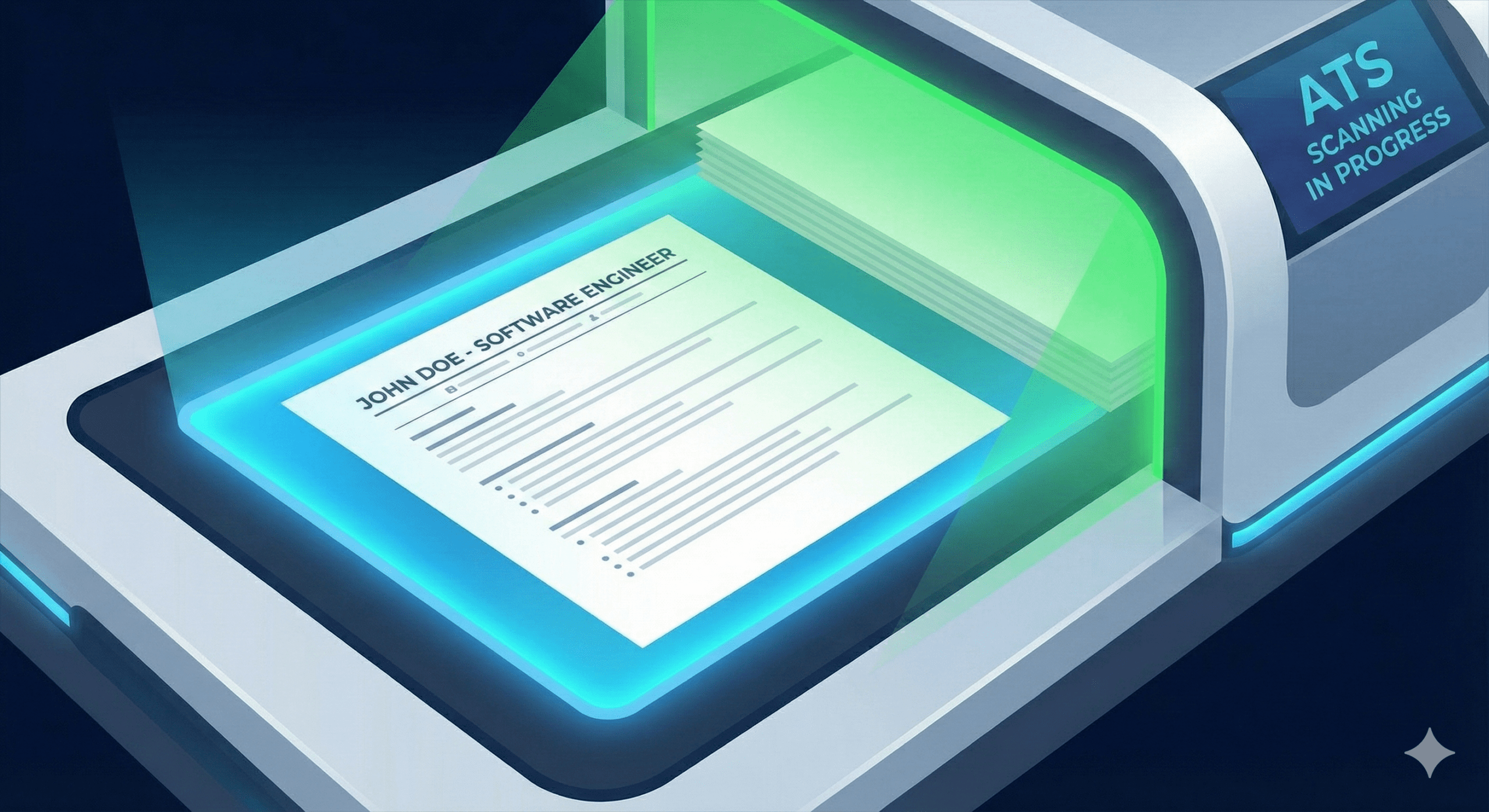
An Applicant Tracking System (ATS) is recruiting software that automates hiring by managing job postings, applications, candidate screening, and tracking through the hiring process.
- Filter resumes
- Match keywords
- Rank applicants
- Reject non-matching candidates automatically
Big companies, MNCs, startups, and even HR agencies rely on ATS today.
If your resume isn’t ATS—friendly, it may never reach the recruiter.
ATS handles high-volume resumes by parsing keywords, ranking candidates, and filtering matches, allowing recruiters to focus on top fits rather than manual review. Over 90% of large companies and many mid-sized firms use ATS, so unoptimized resumes often get rejected before human eyes see them.
Key Benefits
- Streamlines workflows with automated emails, interview scheduling, and compliance tracking.
- Improves efficiency, candidate experience, and data insights for faster hiring.
- Reduces bias through structured screening while storing applicant data for future roles.
🧩 Why Resumes Get Rejected by ATS
Your resume may be rejected because:
- It contains tables or text boxes
- It has too many graphics or icons
- Keywords don’t match the job description
- Font is unreadable
- File type is incompatible
- Headings are non-standard
- Formatting is complex
⚖️ 10 ATS-Friendly Resume Tips
Tip 1: Use a Simple, Clean Resume Format
Avoid:
- Multiple columns
- Fancy designs
- Canva resumes with graphics
Use a single-column layout for ATS readability.
Tip 2: Use Standard Section Headings
ATS understands standard labels like:
- Summary
- Skills
- Experience
- Education
- Certifications
Do NOT use creative headings like:
- “My Journey”
- “What I’ve Done”
Tip 3: Match Job Description Keywords
If the job description says:
- “Python”
- “API development”
- “SQL”
Your resume MUST include those keywords naturally.
ATS ranks based on keyword match percentage.
Tip 4: Choose ATS-Compatible Fonts
Use:
- Arial
- Calibri
- Helvetica
- Times New Roman
Avoid:
- Script fonts
- Stylized fonts
Tip 5: Save as PDF (Unless the Job Says Otherwise)
Most ATS systems accept:
- DOCX
But if the job specifically asks for DOC/DOCX, follow their requirement.
Tip 6: Avoid Graphics, Icons & Tables
ATS cannot read:
- Icons for phone/email
- Skill progress bars
- Text inside shapes or charts
Keep everything plain text.
Tip 7: Add a Skills Section With Hard Skills First
ATS values hard skills more than soft skills.
Example:
Python · Machine Learning · Excel · SQL · Data Visualization
Tip 8: Use Bullet Points, Not Paragraphs
ATS reads bullet points easily.
Bullets also improve readability for humans.
Tip 9: Optimize File Name
Use a professional file name: Firstname_Lastname_Resume_2025 or Firstname_Lastname_Role
Avoid:
- “Resume new final latest FINAL.pdf”
- “My CV (2).pdf”
Tip 10: Keep Formatting Consistent
Use consistent:
- Font size
- Indentation
- Bullet style
- Spacing
- Date format
ATS gets confused by inconsistent formatting.
🔢 ATS-Friendly Keywords You Should Add
These vary by industry, but common keywords include:
- Managed
- Developed
- Designed
- Implemented
- Achieved
- Analyzed
- Optimized
- Coordinated
- Delivered
- Improved
These help ATS identify achievements.
🛡️ ATS-Proof Resume Example
Software Developer Example:
- Developed REST APIs using Python (Flask) for high-traffic applications
- Improved database efficiency by 30% using optimized SQL queries
- Collaborated with cross-functional teams to deliver sprint goals
Marketing Example:
- Managed SEO strategy increasing organic traffic by 120%
- Designed and executed paid campaigns with ROAS of 4.5x
- Implemented CRM automation improving lead engagement by 60%
🤖 Common Mistakes That Break ATS
❌ Using tables or columns
❌ Using images or icons
❌ Using uncommon fonts
❌ Writing paragraphs instead of bullets
❌ Missing job-specific keywords
❌ Uploading scanned resumes (not readable by ATS)
💡 Final ATS Optimization Checklist
Your resume should:
✔ Be 100% text-based
✔ Contain job-matching keywords
✔ Be saved as PDF or DOCX
✔ Use clean formatting
✔ Avoid graphics and tables
✔ Have standard section headings
✔ Include measurable achievements
If you follow these steps, your resume will pass ATS filters and land directly in a recruiter’s inbox.
⭐ Conclusion
An ATS-friendly resume isn’t about beauty — it’s about clarity, structure, and keywords.
A single keyword can decide whether you get shortlisted or rejected.
Implement these 10 tips, and you instantly improve your chances of getting shortlisted for more interviews and land in your dream job.